

Efficiency fosters results. Whether you’re running a solo, small, or mid-sized firm, the best AI for immigration lawyers promises efficiency so you can serve your clients with speed and resilience.
To help you achieve that, we’ve developed a clear, honest map of seven popular AI tools and how they perform on key functions. We evaluated each of the featured applications on immigration-specific accuracy, client confidentiality and compliance, workflow/case management fit, and value.
In that process, we learned that the best AI software for immigration lawyers depends on the job. In other words, the application you want for drafting may not be the right option for research, case management, translation, or general reasoning. Keep that in mind as you review this guide and evaluate your AI software options.
Disclosure: DocketWise is an 8am™ product. We have included it here because it is a leading tool in this category, and we have tried to describe every product on this list—ours included—accurately and fairly.
What is AI software for immigration lawyers?
AI software for immigration lawyers is technology that uses advanced automation to streamline tedious legal and administrative tasks. Functionality can include drafting forms and petitions, answering immigration research questions, extracting data from client documents, tracking deadlines, automating client updates, and translating documents.
The primary value proposition is efficiency. Immigration lawyers can use AI to reduce time spent on administrative tasks, freeing up resources for higher-level case strategy and management.
The efficiency promise is compelling: Immigration law is document-heavy, deadline-driven, and unforgiving. Small mistakes can prompt Requests for Evidence or denials—two outcomes that can be expensive and uniquely disruptive to the client. Lawyers are also subject to strict confidentiality requirements, which add pressure to an already intensive process.
Not all AI tools deliver equally on efficiency or confidentiality. The most compelling AI applications for law firms are trained on authoritative immigration sources, keep client data private, and fit within the lawyer’s existing workflow. Less effective are the generic chatbots that risk hallucinated citations and confidentiality breaches.
Top 6 AI software tools for immigration lawyers
We reviewed top AI software tools within the categories immigration lawyers shortlist: immigration case management AI, certified translation, specialized immigration AI, generalist legal AI , and general-purpose chatbots. The list begins with the AI that lives inside an immigration firm’s case data, then walks through specialized, generalist, and general-purpose options.
1. 8am DocketWise
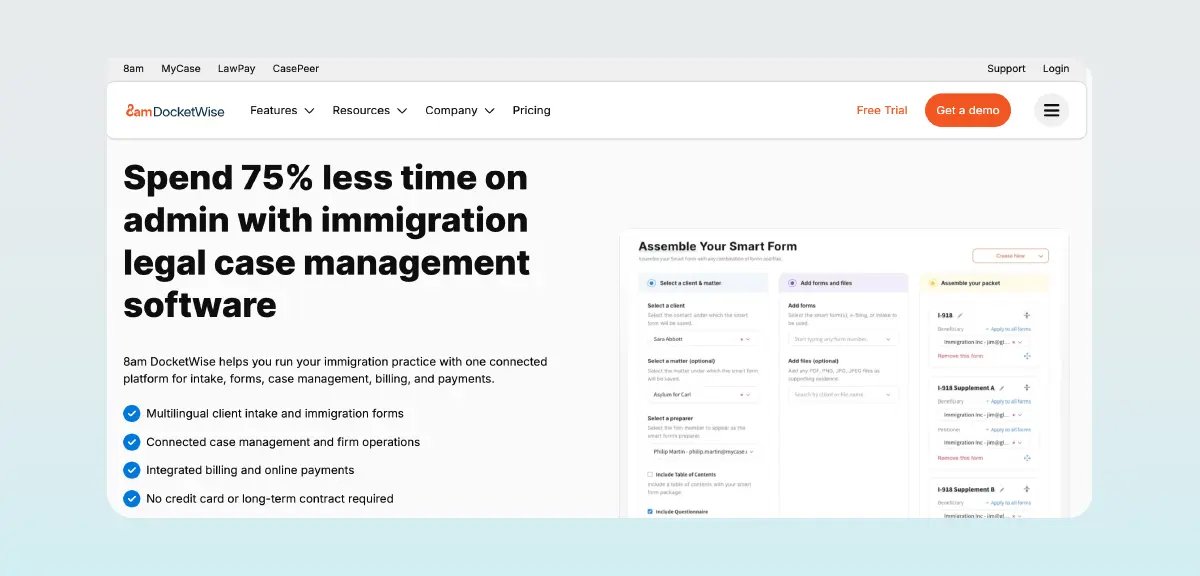
Best AI for immigration lawyers who want an easy-to-adopt, immigration-specific case management platform with built-in AI.
Description:
DocketWise is immigration-specific case management software with integrated AI functionality, built with confidentiality in mind. It features 8am IQ for DocketWise, a set of high-value, AI-powered features. 8am IQ can pull data from uploaded passports, green cards, and other documents and port it directly into immigration forms. The app also transforms notes and rough thoughts into polished emails, case summaries, and responses, in English or Spanish.
8am IQ is not generic AI—it is purpose-built for immigration law. The application uses OpenAI’s API under terms that prohibit using the data for training.
Key features:
-
8am IQ Document Assistant: Document support extracts information from client documents and uses it to populate forms.
-
8am IQ Writing Assistant : Writing support expedites and improves content development and translates English to Spanish.
-
Smart immigration forms library: USCIS/EOIR/DOL/DOS forms auto-populate from intake data.
-
Multilingual, secure client portal: The portal provides clients with a single place to access communications, files, case-tracking status, invoices, tasks, and more.
-
USCIS case status tracking: DocketWise tracks status using USCIS receipt numbers, sends updates on status changes, and shares them in the client portal.
-
Case management and billing: Case management features streamline lawyer workflows by centralizing case data and automating repeated tasks.
-
Secure, distributed infrastructure: 128-bit SSL, 256-bit AES encryption, and continuous backups help protect client data.
Pros:
-
Assistive writing support keeps a human in the loop — the AI writing assistant drafts, edits, and adjusts tone in emails and cover letters, but an attorney reviews and sends every message
-
AI-assisted intake process extracts names, dates, and case details from scanned passports, green cards, and other documents and auto-fills them into Smart Forms, cutting manual data entry as caseloads scale
-
Short learning curve and intuitive interface
-
Purpose-built for immigration with native USCIS workflows
-
Continuously updated USCIS forms library
-
AI that does not train on firm data—prompts are customized for immigration-specific tasks, and client data isn't sent to a model unless you choose to use the feature
-
English-to-Spanish AI translation smooths grammar and tone as well as language, so client communications read as professional and natural rather than literal translations
Cons:
-
AI works within the case management platform and is not available as a standalone tool
Pricing:
DocketWise has three pricing tiers with monthly and annual billing options. 8am IQ AI features are included in the Pro and Advanced plans.
-
Basic: $80 per month/per user, billed annually
-
Pro: $100 per user/per month, billed annually
-
Advanced: $120 per user/per month, billed annually
DocketWise offers a free trial. Learn more about DocketWise pricing .
2. MotaWord
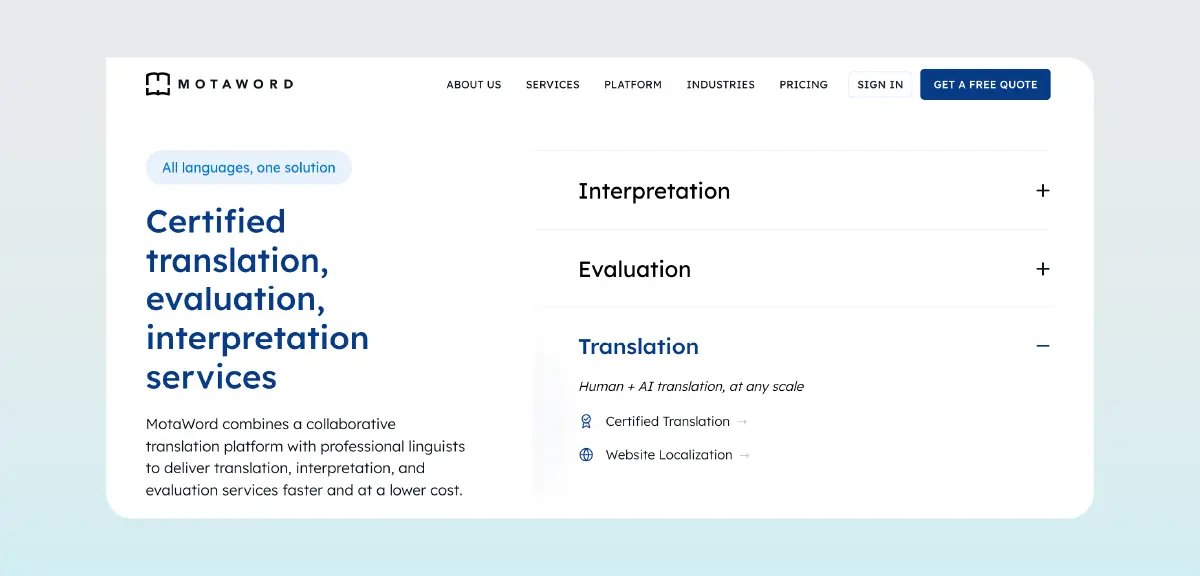
Best AI software for immigration lawyers and clients needing fast, reliable, USCIS-accepted certified translations of foreign-language documents
Description:
MotaWord offers AI and human translation services, including certified translations for USCIS immigration applications. The coverage is extensive, with translations available for more than 120 languages. The platform addresses a specific and recurring need for fast, accurate translation of birth certificates, marriage certificates, and other foreign-language documents. Due to its targeted functionality, MotaWord complements, but does not replace, other AI tools.
MotaWord is an AILA benefit partner.
Key features:
-
USCIS-accepted certified translations: Translations are delivered to your specifications with a completeness/accuracy certification.
-
Human-in-the-loop translation: Machine output is paired with professional linguist review for accuracy and natural phrasing, at a fraction of the cost and turnaround of full human translation.
-
On-demand machine translation: AI-powered translation across 120+ languages, fast enough for high-volume content where speed matters more than a fully human touch.
-
Built for AI agents and developers: An MCP connector lets tools like Claude and ChatGPT trigger translation jobs directly, alongside a standard API, a CLI for CI/CD pipelines, and webhooks for event-driven automation.
-
AI-assisted quality checks: The standard Translate-Edit-Proofread workflow layers in AI-based quality estimation and error detection to flag likely issues before human reviewers look at the text.
-
DocketWise integration: Instant translation and certification from MotaWord are available inside the DocketWise dashboard.
-
MyCase integration : Document translation stays connected to the case within your practice management system.
Pros:
-
Fast, cost-efficient, precise translations with an easy upload portal
-
Responsive customer support
-
USCIS-accepted, certified translations
-
AILA benefit partner for immigration lawyers
-
Supports the personal documents most requested for USCIS filings
Cons:
-
Niche functionality, rather than a full case or filing workflow platform
Pricing:
Cost varies by language, length, and document type. Upload a document to receive an instant AI-powered quote with editing, proofreading, and certification included. Learn more about MotaWord pricing .
3. Visalaw AI
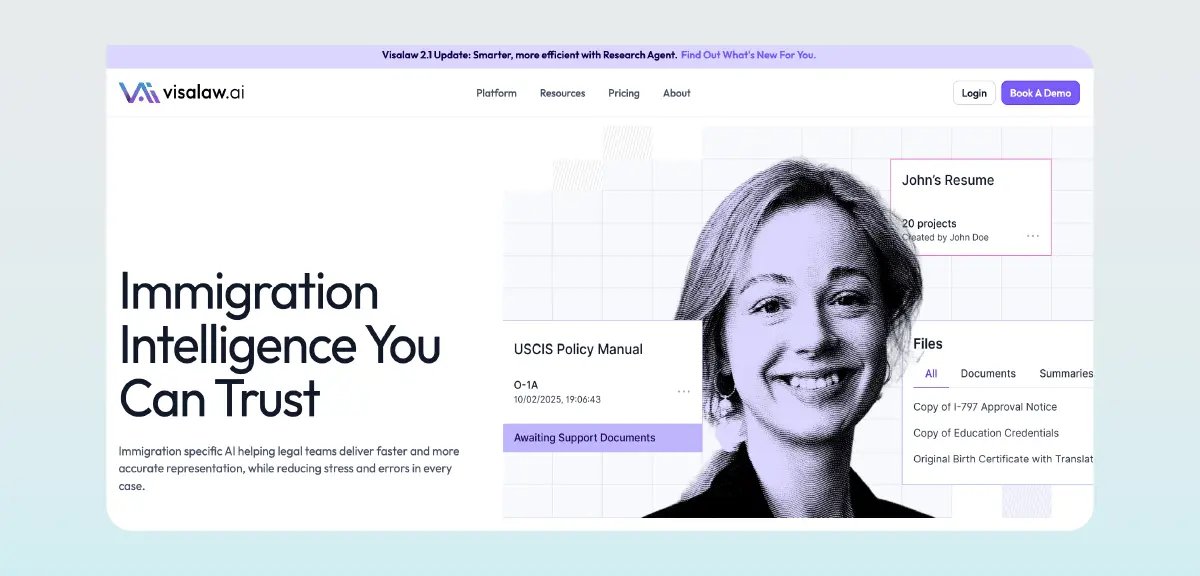
Best AI for immigration attorneys and AILA-member firms who want practice-safe AI for legal research and petition/brief drafting.
Description:
Visalaw AI can research immigration questions using authoritative, lawyer-vetted sources and provide detailed, cited responses. The app also drafts petitions, briefs, and other content.
Visalaw AI was developed in partnership with AILA as an alternative to general chatbots. The platform protects client confidentiality with SOC 2 Type II compliance and no data retention.
Key features:
-
Reliable immigration legal research: Cited responses are backed by a vast case law library, current government agency materials, and secondary sources from AILA.
-
Petition and brief drafting : Generate AI-supported exhibit lists and research-backed analysis.
-
Document analysis: Upload documents and query data from them.
-
Case law searches filterable by jurisdiction: Find the precedents that actually affect the case outcome.
-
Matter-based workspaces: Centralize documents, summaries, and research for each client relationship.
-
Paralegal access: Subscriptions include two free licenses for support staff.
-
DocketWise integration : Draft petitions using matter documents stored in DocketWise and save finalized work into the client record.
Pros:
-
Answers backed by authoritative, trusted sources
-
Practice-safe security with no data retention
-
Built by practicing immigration lawyers
-
Verifiable citations support ethical compliance
-
Targets reducing RFEs through stronger filings
Cons:
-
Higher price point than general legal AI drafting tools
-
Research and drafting functionality only; does not provide end-to-end case management
-
Adds cost on top of existing practice tools
Pricing:
Visalaw AI has three pricing tiers: Core, Pro, and Enterprise.
-
Core includes one license for research, chat, analysis, and pay-as-you-go drafting for $220 per month.
-
Pro includes research, chat, analysis, and 10 petition drafts per month for $480 per user per month.
-
Custom plans with multiple licenses, dedicated support, and team controls are priced based on the feature set.
Learn more about Visalaw AI pricing .
4. Imagility
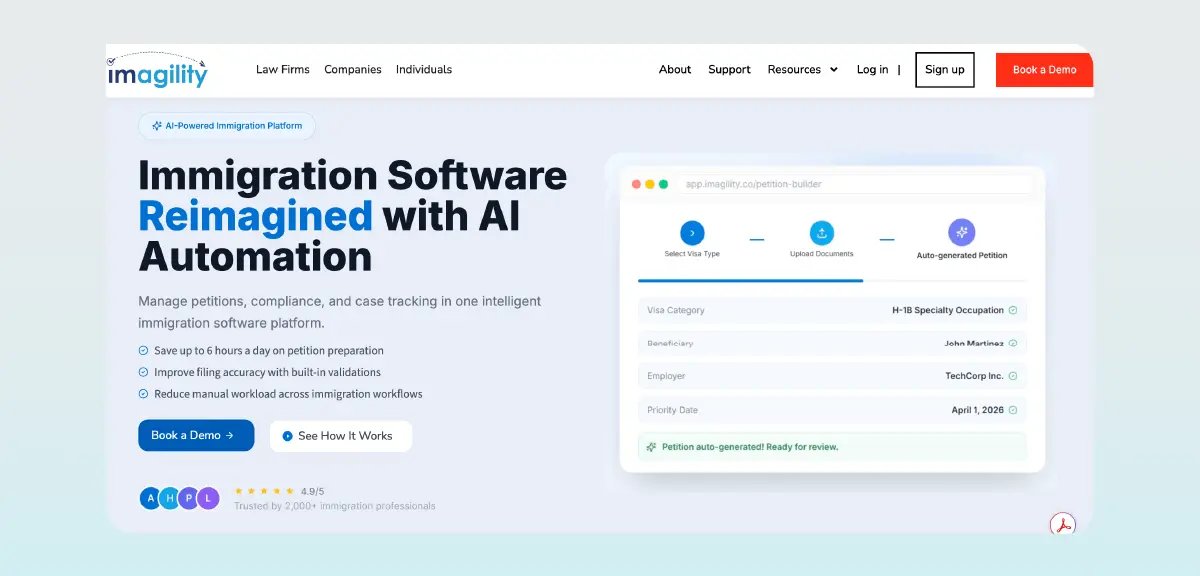
Best AI for immigration firms and corporate petitioners handling employment-based and high-volume petition work.
Description:
Imagility is an immigration case management platform designed for attorneys, corporate sponsors, and beneficiaries. It provides a centralized system for managing petitions, documents, RFEs, and client communications. Key features include OCR scanning and data extraction, an AI-assisted petition builder, petition analysis, and an RFE response builder. Imagility supports a range of visa types.
Key features:
-
AI petition building: Auto-generate forms and draft support letters.
-
OCR evidence extraction: Upload documents and use the data to auto-populate forms.
-
AI petition analysis: Identify weak points in petitions with AI-powered checks for eligibility and missing documents.
-
RFE response builder: Develop effective RFE responses with AI-driven guidance, templates, and error detection.
-
Case and workload management dashboard: Stay organized with a comprehensive view of matter-related documents and tasks.
-
Compliance and document management: Track LCA filings, prepare employer clients for FDNS site visits, and store documents securely.
Pros:
-
User-friendly navigation, including mobile apps
-
Supports diverse case types with compliance features
Cons:
-
Reviewers report bugs like client intake invitations landing in spam and being logged out while entering lead information
-
"Immigration wizard" only supports H-1Bs, and there's no forms library
-
More of a complement to a full practice management platform than a true alternative
-
Pricing is not transparent and must be requested
-
English-only interface
-
Fewer published customer reviews than more established platforms on the list
Pricing:
Imagility quotes pricing on request rather than posting standardized pricing plans. According to one third-party estimate , pricing starts at $75 per user/per month. Learn more about Imagility pricing .
5. Claude
Best AI software for immigration lawyers who work with long, document-heavy files and want careful, high-quality drafts and summaries of non-confidential material.
Description:
Claude is a general-purpose chatbot that can digest lengthy documents, support brainstorming, identify argument strengths and weaknesses, and assist with research. Output quality can vary depending on how well the AI is prompted, and human verification of accuracy is required. Claude is not immigration-trained and has confidentiality concerns. While users can disallow the use of data for training, the app retains data for 30 days (or up to five years if training is allowed). Retention periods vary by plan and setting and are subject to change - confirm current terms in Anthropic’s published privacy and data usage policies before relying on them.
Key features:
-
Long-document capacity: Copy/paste, link, or upload support for summarizing or querying dense documentation.
-
Analysis: Compare documents, extract data, test arguments. Most useful for early drafts and brainstorming, as outputs are not based on immigration sources and must be verified for accuracy.
-
Context retention: Revisit lengthy documents and complex conversations without having to re-explain every detail.
-
Plain-language explanation: Claude can describe complex concepts in simple terms.
-
Safety-oriented design: Claude is trained to show uncertainty rather than fabricate details, though this does not prevent inaccurate or hallucinated outputs.
Pros:
-
Clear, detailed responses with strong context understanding
-
Handles complex tasks well
-
Strong file upload and summarization
-
Well-regarded ethical framework
-
Best-in-class writing quality among consumer AI
Cons:
-
Not immigration specific
-
Outputs require careful human verification
-
Usage limits can interrupt complex tasks
-
Audit logs and zero-data-retention are generally limited to higher-tier or enterprise-level plans - confirm current plan features before relying on them
-
Not immigration-trained, so confidentiality and citation risks apply
-
Context awareness capability requires upfront and ongoing maintenance to ensure outputs comply with your firm’s best practices
Pricing:
Claude has multiple pricing tiers.
-
A free plan with limited usage is available.
-
Pro is $17 monthly, billed annually.
-
Max starts at $100 monthly, billed annually.
-
The Team plan is $20 per user/per month for standard seats and $100 per user/per month for premium seats, billed annually.
6. ChatGPT
Best AI for immigration lawyers who want a low-cost, everyday assistant for brainstorming and summarizing non-confidential material.
Description:
ChatGPT has broad knowledge and can effectively summarize and review non-confidential documents, assist with brainstorming, and draft client notes.
Confidentiality and accuracy are key concerns for immigration lawyers using ChatGPT alongside their legal software. Users can decline to have their data used for training, but ChatGPT retains data for at least 30 days after chats have been deleted. Deletion schedules vary by plan and are subject to change - confirm current terms in OpenAI’s published policies before relying on them.
Key features:
-
Conversational drafting: Supports natural-language requests and follow-ups.
-
Document summarization and analysis: Digests documents quickly to produce summaries and analyses.
-
Brainstorming and strategy ideation: Dialogue format allows for quick brainstorming and feedback on ideas.
-
Plain-language explanation of complex topics: Translates jargony text into layman’s terms, with human verification required.
-
Conversation memory: Recalls conversation histories and details, allowing for later conversation revisit.
-
Multimodal input: Accepts text, image, video, and document uploads.
Pros:
-
Highly versatile and human-like across tasks
-
Easy to use and boosts productivity
-
Simplifies complex topics
-
Useful for low-risk legal tasks like brainstorming and summarizing
Cons:
-
Not immigration specific
-
Can fabricate fake case citations—a documented sanctions risk
-
Entering client data can breach confidentiality
-
Entering client information may risk waiving the attorney-client privilege
-
Can produce inaccurate, overly general answers that require verification
-
Requires training and maintenance on your firm’s best practices
Pricing:
ChatGPT offers pricing tiers for individuals and businesses.
-
Individual: Free to $100/user/month.
-
Business: 20–100/user/month (billed annually), depending on seat type.
Learn more about ChatGPT pricing .
How to evaluate and implement AI software for immigration lawyers
Learning the features of AI immigration software is only the start of your evaluation process. From there, you must test the application and design an implementation plan. We’ve defined three steps to guide you through a safe rollout within your practice.
Step 1. Audit the tool’s data handling and security posture
Before locking into a contract, ask the vendor directly whether your firm's data will be used to train AI models and how long the inputs will be retained. Also, find out whether the vendor has completed a SOC 2 Type II audit or adheres to any recognized security protocols.
You cannot use client-specific information in an AI application that uses your data for training—under that scenario, you have no control over how the data is distributed or who sees it. Data retention also poses a confidentiality risk. Stored data can be accessed by subpoena, court order, or a bad actor. A lack of commitment to a recognized security framework allows for loose protocols.
Once you select a tool, document its security position in your firm's AI policy and train staff on what can and cannot be entered.
Step 2. Test outputs against authoritative immigration sources
Always test an AI tool’s output with real research questions and petition-drafting tasks. Once you have the responses, verify every citation, statute, and policy reference against USCIS, AILA, or primary law. If the tool cannot provide verifiable sources or references to cases that don’t exist, know that you must limit its use to brainstorming only. Any produced drafts must be fully verified and rewritten.
Consider adding a verification step into your workflow, so that no AI output goes into a filing without attorney review first. After implementation, track error rates to identify where mistakes are most likely to occur. As patterns emerge, incorporate them into your review practices.
Step 3: Map the tool into your daily case workflow
The mechanics of using AI are as important as the functionality. If you opt for an AI-powered case management system, fewer workflow changes are required. You’ll use it to auto-populate forms, pull USCIS statuses, and support your writing inside the system you use daily.
External applications that integrate with your case management system require configuration and extensive testing. Verify the desired functionality works as expected, whether it’s form population or drafting petitions. You may also want to limit permissions so only authorized users can access AI features tied to client data.
If you select an AI tool that doesn’t integrate into your systems, define guardrails on how it’s used. For example, you might have a drafting tool that your team should use only for RFE brainstorming. The outputs must then be reviewed, finalized, and moved to the official matter record. Establish the exact transitions between systems so everyone understands the application’s role.
Key features to look for in AI software for immigration lawyers
Ultimately, AI software should improve how you serve your clients. Confidentiality is a top concern, as is the ability to keep clients informed despite language barriers. Automation of daily tasks reduces your administrative burden, freeing up time for strategy and client counseling—or for growing your practice with more cases. In that vein, the best AI tools for immigration lawyers in 2026 should deliver the following four features.
AI built with confidentiality in mind
You are ethically bound to keep client information private, which means your AI application must be built for legal confidentiality. That means the infrastructure and data handling protocols must be secure. Data should not be retained for any future purpose, including training.
Integrated multilingual client communication
Translation functionality built into your normal workflow supports a consistently high service level across a broader range of clients. For example, access to English-to-Spanish translations inside notes, emails, and forms supports more productive interaction with Spanish-speaking clients—without opening a separate tool or cutting and pasting. Opening separate applications takes time and increases the risk of a breach of confidentiality.
Integrated case management and communication
You will get the most benefit from AI that has seamless access to matter records. This is because AI is most effective when it has context. An AI-generated client update from your case management system can use up-to-date, accurate information, whereas a disconnected chatbot will produce something generic. An integrated system is also easier to use because your drafting, forms, and status tracking remain centralized within a single workflow.
Automated document data extraction
Client intake often means manually retyping details from passports, green cards, and other immigration documents into forms—a slow, error-prone process. AI-powered data extraction pulls names, dates, and other key details directly from uploaded documents and automatically populates them into your forms and client profiles. This reduces repetitive data entry, reduces filing errors, and helps standardize intake across your team, giving attorneys and staff more time for legal analysis and client-facing work.
Immigration-specific form and data automation
Populating immigration forms from data captured on paper documents is a major administrative burden for immigration law firms. AI that automates this process strips manual hours from the intake process. The value of this feature is high and quantifiable.
Ensure the system you choose maintains a current library of USCIS/DOL/DOS forms and can populate multiple forms from one client intake.
Why DocketWise AI tools stand out for immigration firms
So, which legal AI is best for immigration lawyers? DocketWise is a unique AI option for immigration firms because it balances functionality, efficiency, and safety. It incorporates AI functionality into the daily workflow, using the firm's case data to extract information, auto-populate forms, optimize writing, and translate client communications—while protecting firm and client data from AI model training. This includes two 8am IQ features built directly into DocketWise:
-
Document Assistant : Extracts client data from passports, green cards, and other immigration documents and auto-populates it into Smart Forms.
-
Writing Assistant : Refines tone, clarity, and professionalism in client communications, and translates between English and Spanish.
Explore how DocketWise could streamline your workflows and support your clients with a free trial .
This article is provided for general informational purposes only and is not legal advice. Lawyers should consult the rules of professional conduct and ethics guidance in their own jurisdictions before adopting any AI tool. Product features, security practices, and pricing described here are current as of September 2026, reflect publicly available information about third-party products, and are subject to change.
About the author

Mary Elizabeth Hammond is a Senior Content Strategist and Blog Specialist for Docketwise, a leading professional business solution. She covers emerging legal technology, financial wellness for law firms, the latest industry trends, and more.